Skip to content
ace71 Live / Mobile
LIVE LOBBY

ace71 — Slots, Live Tables and Cricket Betting in One Place

Slots from Pragmatic Play and Spadegaming, live tables from Microgaming, and a sportsbook with cricket betting markets — all reachable the moment your account opens. Payments through Nagad, Rocket and Upay are configured from day one, so your first session starts without the usual friction.

bKash Nagad Rocket
Browse games
CONTENT / 01

What Your Wallet Screen Shows After Your First Deposit

After your first confirmed deposit via Nagad, Rocket or Upay, the wallet screen inside your account becomes the central reference point for your funds on ace71.

  • Balance Display

    Your current account balance is shown at the top of the wallet screen immediately after sign-in. It reflects confirmed deposits minus any completed withdrawals.

  • Transaction History

    Every deposit and withdrawal on your account is logged in the transaction history section of the wallet screen. Entries are dated and include the payment method used — Nagad, Rocket or Upay — along with the reference number from that transfer. You can use this list to verify payments independently against your mobile wallet app history.

  • Withdrawal Record

    When you request a withdrawal, the transaction appears in your wallet history with a status marker — submitted, processing or completed. This status is updated as the payment moves through the provider network.

TRUST / 03

How We Keep Your Account in Order

Every ace71 account runs on a set of published standards that govern how your wallet, session data and transaction records are handled. We do not invent processes — the steps you see in your account area are the actual steps, not placeholder instructions. When you update your contact details or change your password, the account area records the timestamp and reflects the change immediately across all active sessions. If a discrepancy appears between what you submitted and what the wallet screen displays, the transaction log under account history is the authoritative record — compare it against your own records before raising a query. Session data is tied to your verified phone number, so any change to that number follows a re-verification step identical to the one you completed at registration. These published steps exist so that every account action has a clear, traceable path rather than an outcome that appears without explanation.

  • Transaction Records

    Every deposit and withdrawal you make through Nagad, Rocket or Upay is logged in your account wallet history.

  • Published Support Route

    The help route is shown inside your signed-in account — not just in a footer link. Whether you have a wallet query or an account-access issue, the contact path is one tap from your dashboard.

  • Verified Payment Rails

    Nagad, Rocket and Upay are the verified payment rails on this platform. These are the methods configured for Bangladesh accounts — we do not name or imply others. When you open the deposit screen, you will see only the routes that are active for your region. Check the wallet screen for current method availability.

  • Eligibility Clarity

    Access to ace71 depends on your local law and the eligible regions confirmed during registration. We state this at the account-creation stage, not after you have already deposited. If your region is not currently supported, the registration step will make that visible before you proceed. No ambiguity, no post-deposit surprises.

Learn more →
TRUST / 03

Three Ways to Reach Account Help

Account questions come in different shapes — a Nagad transfer that needs confirmation, a login issue on a new device, or a question about what is showing in your wallet. Rather than pointing everyone to a single channel, we publish three distinct help routes inside your signed-in account. The first route handles wallet and transaction queries — if a Nagad, Rocket or Upay transfer is showing an unexpected status, this channel connects you to the team that can cross-reference the payment provider record against your ace71 transaction log. The second route covers account access issues such as a device you have not used before or a verification prompt that did not arrive. The third route is for general account questions that do not fit either category. Each route has its own response queue, which is why selecting the correct one from the signed-in menu gets you a faster and more relevant reply than sending the same message to all three.

  • Live Chat

    The live chat route is accessible from your signed-in account dashboard. It is the fastest path for wallet queries — particularly useful when you need to confirm a Nagad or Rocket transfer that has not yet reflected

  • Email Support

    For account-verification questions or anything that requires a documented trail, the email route is listed inside your account settings. This is the right channel for identity-related queries, withdrawal confirmations and anything where you want a written record. Response handling is managed by the account team; check your registered email for replies.

  • Help Centre

    The help centre covers common account-access questions, wallet steps and device-continuity notes. It is available without needing to wait for a live agent — useful for returning users who want to check a process step a

Learn more →
ACE71
Mobile casino lobby
Popular Live Slots
Cricket Betsport Roulette WildSpin Nagad MoneyZap
MOBILE LOBBY

Built for phones, clear on desktop

Cards, tables, FAQ and policy pages stay easy to read on smaller screens.

  • Quick categories
  • Mobile first
  • Access
App
CONTENT / 03

Your Account Moves With You Across Devices

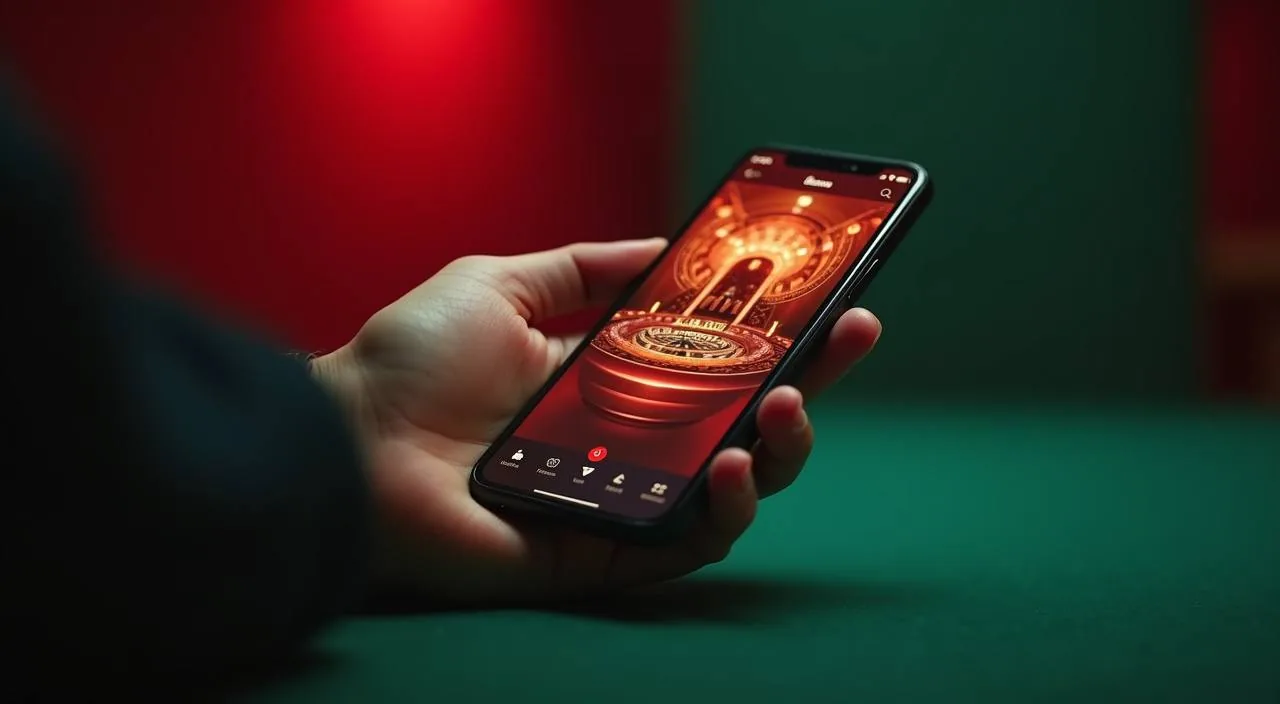
ace71 is built for mobile-first access — the full lobby, your wallet and the sportsbook all load in the mobile browser without a separate download. That means your session on your phone carries over cleanly when you switch to a desktop browser: the same login, the same wallet balance, the same account history. If you open the lobby on a second device while a session is already active elsewhere, both sessions read from the same wallet balance in real time — there is no separate mobile balance. Clearing your browser cache or switching to a private browsing window will prompt a fresh login, but your account history and wallet state are stored server-side and will be exactly as you left them once you sign back in. For the smoothest experience, use the browser's built-in zoom rather than pinching to resize the lobby, as the layout is already optimised for the viewport widths common on Bangladeshi handsets.

  • Mobile Browser Access

    The full lobby — slots, live casino and sportsbook — is accessible from your mobile browser without any download. The page layout adjusts for smaller screens automatically, keeping the navigation rail and wallet button within thumb reach. Returning users find the sign-in path at the top of the page, two taps from the lobby.

  • Session Continuity

    Switch from mobile to desktop and your account picks up exactly where you left off — same wallet balance, same open session, same transaction history. There is no need to log out and back in.

  • Wallet on Every Screen

    Your Nagad, Rocket or Upay wallet details are visible from the account icon on both mobile and desktop. Tap it to see your current balance, recent deposits and any pending withdrawals. The wallet screen is the same layout on both devices, so there is no re-learning the interface when you switch.

  • Returning User Path

    For accounts that have already completed verification, the returning login is a straight path: enter your registered credentials, confirm on the verification prompt shown in your account, and you are in the lobby.

ACCOUNT PATH

From Registration to Your First Lobby Visit

The path from a new account to an active session has four steps, each shown clearly during registration. Step one: open the account page and complete the fields shown — name, registered phone number and a password. Step two: confirm your number via the verification prompt that appears after submission.

  1. Step 1: Open the Account Page

    Go to ace71 and tap the account-creation option at the top of the screen. Fill in the required fields: your name, your mobile number and a secure password. All fields are labelled in the form — follow exactly what is shown. Do not leave the page before submitting, as partial entries are not saved.

  2. Step 2: Verify Your Number

    After submitting the registration form, a verification prompt appears on screen. Follow the instruction shown — it will ask you to confirm via the method displayed.

  3. Step 3: Add Funds via Wallet

    Open the wallet screen inside your new account. Select Nagad, Rocket or Upay as your payment method — these are the active rails for Bangladesh. Follow the transfer instructions shown on screen, including the reference details.

  4. Step 4: Enter the Lobby

    Once your wallet shows a confirmed balance, the full lobby is open. Use the navigation at the bottom of the screen to move between slots, live casino and the sportsbook.

MEMBER DESK / 06

Offers, support and account controls

01

Game lobby

02

Payment guide

03

Support

LOCAL PAYMENTS

Nagad, Rocket and Upay — Your Wallet Options

The payment methods configured for Bangladesh accounts on ace71 are Nagad, Rocket and Upay. These are the routes you will see when you open the deposit or withdrawal screen — no other methods are implied or available for Bangladesh regions.

  • Nagad

    Nagad is one of the verified deposit and withdrawal routes for Bangladesh accounts. To use it, open the wallet screen after sign-in, select Nagad from the payment options, and follow the transfer fields shown.

  • Rocket

    Rocket is configured for both deposit and withdrawal on ace71 for eligible Bangladesh accounts. Open the wallet screen, select Rocket, and follow the step-by-step transfer instruction shown.

  • Upay

    Upay is the third verified payment rail on this platform. The deposit flow via Upay follows the same wallet screen logic as Nagad and Rocket: select the method, read the transfer instructions carefully, and complete the payment in the same session.

Banking
FEATURE BRIEF / 05

Cricket Betsport and the Games We Get Asked About Most

The games visitors open first after completing registration tend to cluster around a few titles — and that pattern tells us something useful about what this lobby does well.

Game feature guide
  • Cricket Betsport

    Cricket Betsport is the sports-betting title structured for cricket-first accounts in Bangladesh. It covers international cricket and BPL-style markets in a game-room format. Open it from the sportsbook section of the lobby. Market availability within the title depends on the current match schedule — check the title directly for what is live.

  • Baccarat Casino24

    Baccarat Casino24 is the live-table title that returning casino users open most. It runs in a live-dealer format, so the session requires a stable connection — mobile browser on a good signal works fine.

  • Crash Pulse

    Crash Pulse is a short-format game well suited to mobile sessions. Each round runs quickly, the result is shown immediately on screen, and the next round starts without any manual reload.

  • Nagad MoneyZap

    Nagad MoneyZap is a game title in the slots section — the name reflects its design theme rather than a payment function. It is not the same as the Nagad payment method, though the naming similarity leads to some confusion.

DISCOVER / 01

Choose your game

Full lobby
GAME NETWORK
Bigtime Gaming
Joker
Spadegaming
Microgaming
JDB
Pragmatic Play
CONTENT / 04

ace71 lobby studios

The ace71 lobby carries content from Bigtime Gaming, Joker, Spadegaming, Microgaming, JDB, Pragmatic Play. To check the studio, rules or features of one specific game, open that game card or the published information panel.

  • Bigtime Gaming

  • Joker

  • Spadegaming

  • Microgaming

  • JDB

  • Pragmatic Play

ACCOUNT DESK

Account information

Review current account information after signing in.

Login
PLAYER INDEX / 07

Words You Will See in Your Account

A few terms appear repeatedly in the wallet screen, transaction history and promo board. Knowing what they mean saves a support query. Pending: a transfer has been submitted but not yet confirmed by the payment provider — this status can appear for Nagad, Rocket or Upay transfers while the provider network processes the moveme Confirmed: the payment provider has acknowledged the transfer and the amount is now reflected in your available wallet balance — this is the status you are waiting for when a Pending entry has not yet resolved. Failed: the transfer did not complete; the funds were not moved and you should check with your Nagad, Rocket or Upay account directly before attempting again.

Player guide and glossary
  • What does 'Pending' mean in my wallet history?

    Pending means your deposit or withdrawal has been submitted but has not yet been confirmed by the payment provider — Nagad, Rocket or Upay. The status updates once the provider network processes the transfer.

  • Where can I see which payment methods are active for my account?

    Open the wallet screen inside your signed-in account and select Deposit or Withdrawal. The payment methods shown there are the ones currently configured for your account and region.

  • What is a wagering condition on a promo item?

    A wagering condition is a multiplier shown in a promo item's terms that specifies how much of the related amount must be played through before you can withdraw it.

  • Can I use the same account on my phone and on a desktop browser?

    Yes. Your ace71 account is tied to your registered credentials, not to a specific device. Sign in from any browser — mobile or desktop — and your wallet balance, transaction history and lobby access are exactly the same.

  • How do I find cricket betting markets inside the lobby?

    Go to the sportsbook section using the navigation at the bottom of the screen. Cricket is the main market category for Bangladesh accounts — it covers international fixtures and BPL-format matches where markets are live.

  • What should I do if my Nagad deposit is not showing in my wallet?

    First, check your Nagad app to confirm the transfer was completed on the provider side and note the transaction reference. Then open your ace71 wallet history to see if the status shows as pending.

  • Where do I find RTP information for slots on ace71?

    RTP data is shown only where the game studio or provider exposes it within the game interface itself. We do not publish independently sourced RTP figures.

Full glossary
LOBBY / 02

One mobile lobby, distinct game areas

Cricket Betsport Sports Cricket Betsport Access → Roulette WildSpin Live Roulette WildSpin Access → Nagad MoneyZap Slots Nagad MoneyZap Access → Football Goal Rush Sports Football Goal Rush Access → Crash Pulse Slots Crash Pulse Access → Baccarat Casino24 Live Baccarat Casino24 Access →
EXPLORE FURTHER / 04

Explore detailed guides

Local lobby check

QUICK ANSWERS

Frequently asked questions

These are the questions we see most often from new accounts in Bangladesh — answered with the specific process steps rather than general reassurances. If your question is not here, the help tab inside your signed-in account links to the support route that can answer it directly.

Read FAQ →
How do I create an ace71 account from my phone?

Go to ace71 in your mobile browser and tap the account-creation option at the top of the screen. Fill in the fields shown — name, mobile number and password. After submitting, complete the verification prompt that appears on screen.

Is there a mobile app I need to download?

There is no separate app download required. The full ace71 lobby — slots, live casino and sportsbook — is accessible directly through your mobile browser at ace71.

Which payment methods work for Bangladesh accounts?

Nagad, Rocket and Upay are the verified payment methods configured for Bangladesh accounts on ace71. These are the options you will see in your wallet screen when you open the deposit or withdrawal section.

How do I withdraw funds from my account?

Open the wallet screen inside your signed-in account and select the Withdrawal option. Choose your method — Nagad, Rocket or Upay — and enter the amount within the limits shown on screen.

What game studios are available in the ace71 lobby?

The lobby includes game content from Bigtime Gaming, Joker, Spadegaming, Microgaming, JDB and Pragmatic Play. These studios supply slots, live casino tables and table games. Use the studio filter in the lobby to browse titles by provider.

Does my account work if I am outside Bangladesh?

Access to ace71 depends on your local law and the eligible regions confirmed during registration. If you are accessing from outside Bangladesh or from a region not currently supported, eligibility may differ.

How do I contact support if I have an account or payment issue?

The support route is published inside your signed-in account — open the help tab from the main menu or the wallet screen. For payment queries involving Nagad, Rocket or Upay, have your transaction reference number ready before contacting support.

Where do I find the terms for a promo item shown on my account board?

Every item on the promo board inside your signed-in account has a terms link displayed directly next to it. Tap that link to read the full conditions, including any wagering requirements, eligible payment methods and validity period.

READY WHEN YOU ARE

ace71 game lobby

Access may be available only where local law permits.

Register Login